Why Does Silence Removal Sound Choppy?
Choppy silence removal often means your threshold is too high or pauses are trimmed too short. Learn settings to tighten dead air without clipping speech.
Read article→Audio denoiser
Denoise spoken tracks, enhance clarity, trim by transcript, and export — instead of stopping at a one-click cleaner with no timeline.
MP3, WAV, M4A and most browser-supported audio/video files.
Everything you need to turn spoken recordings into publish-ready audio from one browser workspace.

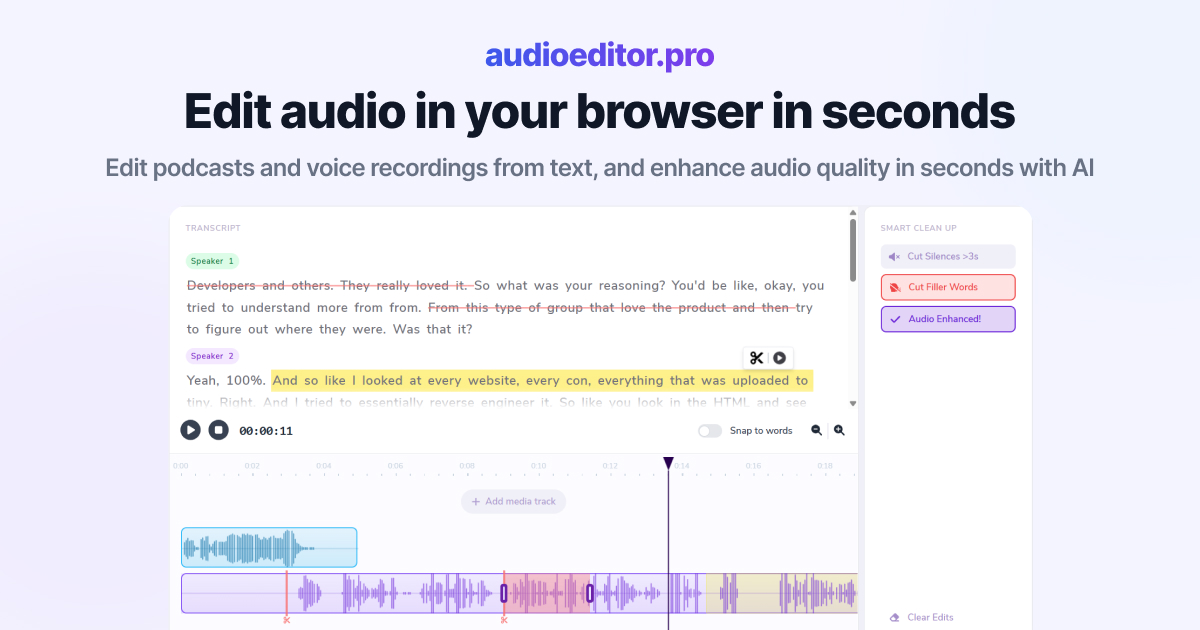
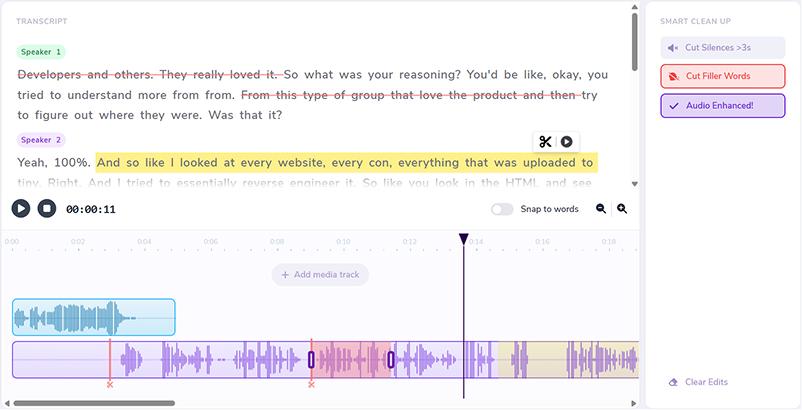
Select words in the transcript to cut, move, or refine the underlying audio.
Improve clarity and reduce noise without leaving the editor.
Remove dead air automatically so interviews and episodes stay tight.
Clean up ums, uhs, and hesitations in bulk from the transcript view.
Layer music, intros, and voiceovers on the same timeline.
Switch to waveforms whenever you need frame-accurate control.
Hiss, hum, and room tone get in the way of good episodes — denoise first, then cut structure online.
Lower background noise, then remove silences and fillers before publish.
Reduce call noise on interview tracks without a separate denoise plugin.
Denoise long spoken lessons, then tighten pacing on the timeline.
Run an audio denoiser in the browser next to full editing controls.
Noise cleanup is one step in a transcript-first production flow.
Enhance after denoise so voices stay clear instead of over-processed.
Upload, denoise, edit, and export without tool-hopping.
Drop podcast, interview, or voiceover audio into the browser workspace.
Reduce hiss and room noise, then lift speech clarity.
Cut by transcript, remove silences, and strip filler words.
Download when ready. For broader cleanup language, see remove background noise from audio.
Practical articles on noise reduction and spoken-audio editing.
Choppy silence removal often means your threshold is too high or pauses are trimmed too short. Learn settings to tighten dead air without clipping speech.
Read article→Heavy filler removal can sound robotic when pauses vanish and words land too close. Learn when to cut ums and when to leave speech human.
Read article→Remove ums and uhs automatically from podcast audio with transcription, bulk filler detection, and a quick review pass so cuts stay natural.
Read article→Reducing background hiss and room noise on spoken recordings before you finish editing and export.
No. Denoise sits inside a full browser editor with transcript cuts, silence removal, and multi-track support.
Yes. Upload episode audio, denoise, clean pacing, and export.
Supported video uploads can be cleaned for their audio track, then exported as edited audio.
You review results before export and can balance how aggressive cleanup feels.
MP3, WAV, M4A, and most browser-supported audio and video formats.