Silence removal
Why Does Silence Removal Sound Choppy?
Choppy silence removal often means your threshold is too high or pauses are trimmed too short. Learn settings to tighten dead air without clipping speech.
TL;DR
- Choppy silence removal usually means threshold too high or minimum duration too low.
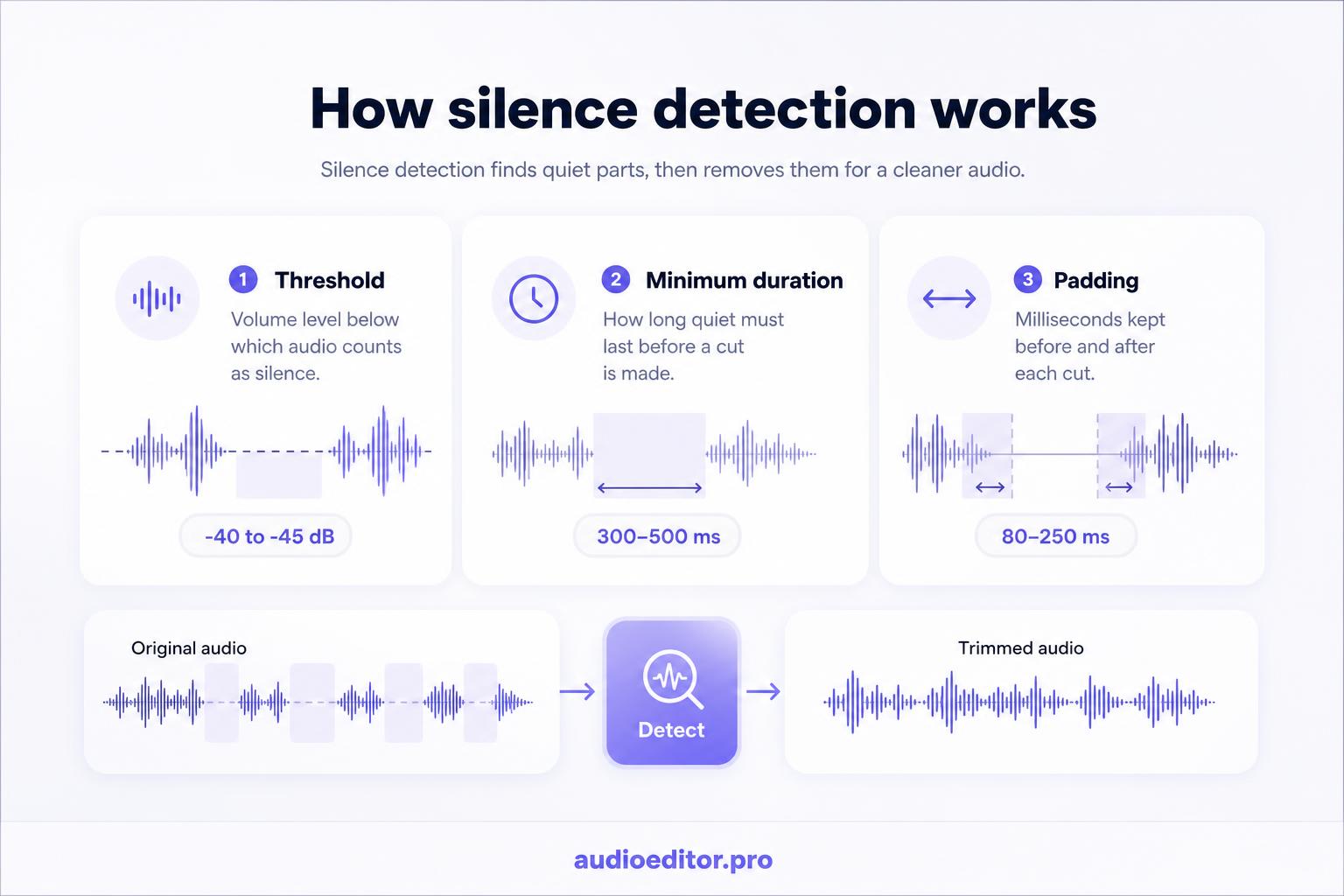
- Start near -40 to -45 dB threshold and 300–500 ms minimum for podcasts.
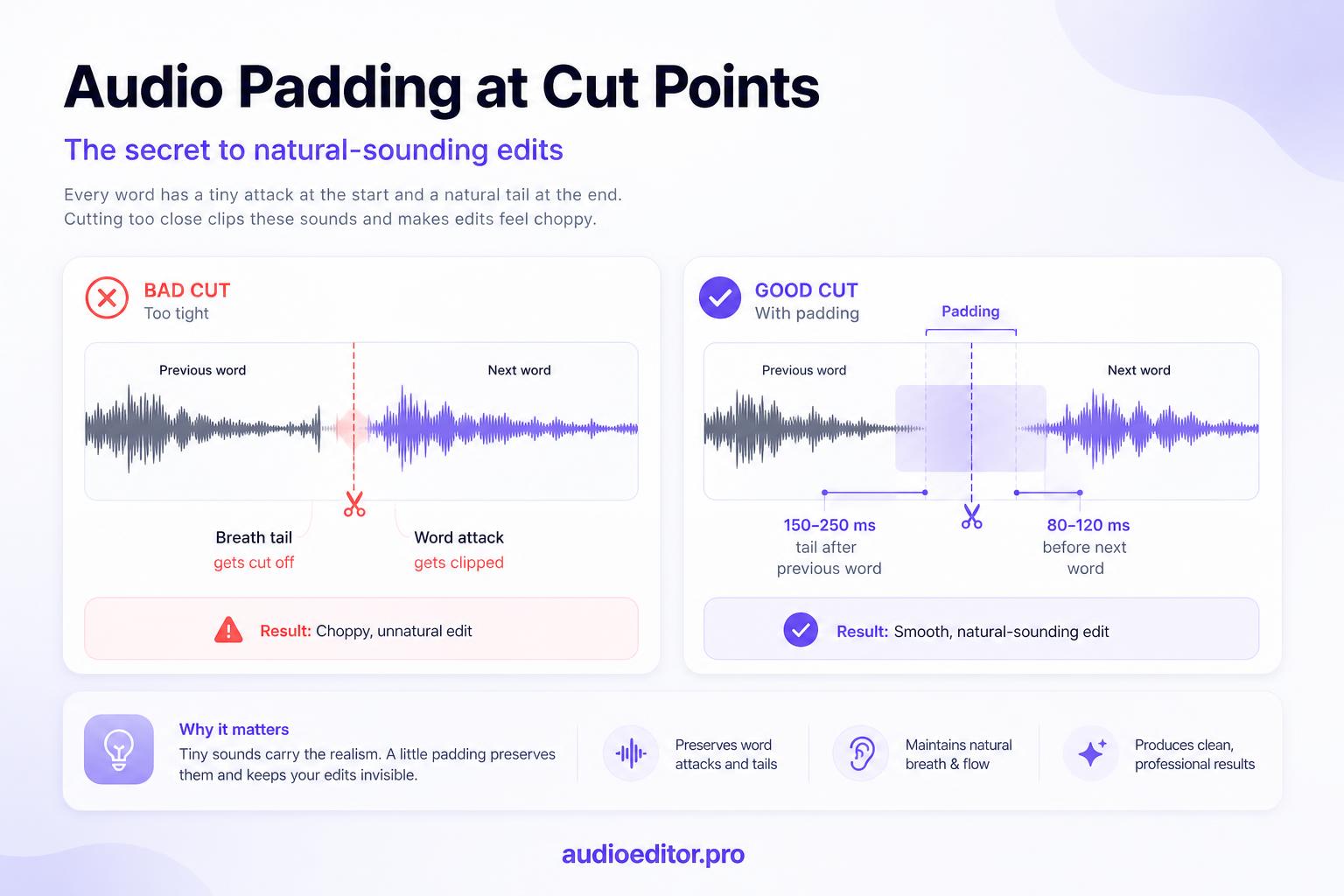
- Keep 80–250 ms padding so word attacks and tails survive.
- audioeditor.pro offers browser dead-air detection with timeline review before export.
You run silence removal on a podcast and the runtime drops ten minutes. Great. Then you listen back and the host sounds like they cannot breathe. Words snap together. Jokes land too fast. The edit feels choppy.
That is not a broken tool. It is usually aggressive detection treating speech tails, breaths, and thinking pauses as dead air.
What "choppy" means in a tightened edit
Choppy silence removal is not one loud glitch. It is a rhythm problem:
- Sentences start before the ear expects them
- Breath space vanishes between phrases
- Consonants at word starts sound clipped ("-tion" without the "a")
- Turn-taking in interviews feels rushed
- Emotional beats lose the pause that gave them weight
Listeners may not think "silence removal." They think the speaker is nervous or the edit is obvious.
How automatic silence removal works
Most tools scan the waveform for sections below a volume threshold for longer than a minimum duration. Anything that qualifies gets shortened or deleted.
Two knobs control almost everything:
| Setting | What it does | Too aggressive when… |
|---|---|---|
| Threshold | How quiet counts as silence | Soft speech and breaths get flagged |
| Minimum duration | How long quiet must last to cut | Short natural pauses get removed |
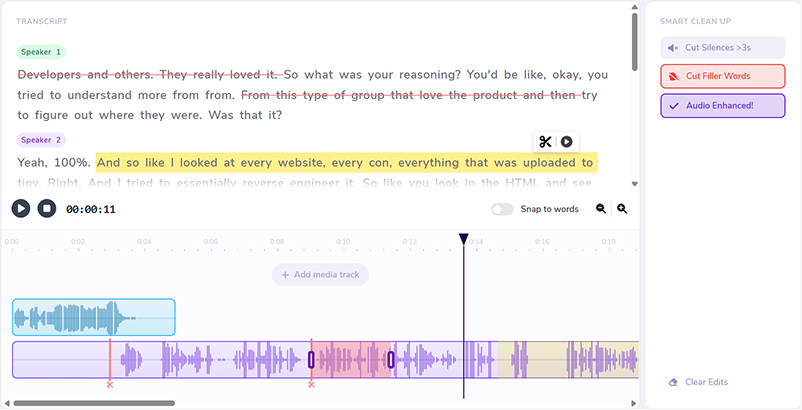
Some editors add padding (keep X ms before and after each cut). Padding is often what separates tight pacing from choppy pacing. On audioeditor.pro, you can tune threshold and padding on a short clip before running dead-air removal on the full episode.
If quiet room tone, a trailing "s", or the start of "the" sits below your threshold, the tool eats them. That is the main reason silence removal sounds choppy.
Threshold set too high
A threshold that is too high treats quiet audio as silence.
Common victims:
- Word endings fading in level
- Soft speakers on remote mics
- Plosive attacks ("p", "t", "k") at low volume
- Room tone dips between phrases
Starting point for spoken podcasts: around -40 dB to -45 dB on a clean voice track. Noisy rooms may need a lower threshold (more negative number) so room hiss is not mistaken for speech.
Quick test: if whole syllables disappear after the pass, lower the threshold. If long empty gaps remain, raise it slightly or lower the minimum duration.
Minimum duration set too low
Natural speech needs micro-pauses. Removing every gap under 200 ms often creates the same robotic rush as removing every filler word.
Practical minimums:
- 300–500 ms for interviews and casual podcasts
- 500–800 ms if hosts pause to think on hard questions
- 800 ms+ only when you want to target obvious dead air, not rhythm
Dead air longer than two to three seconds is usually fair game to shorten. Pauses under half a second are often part of the performance.
Padding too tight or missing
Even a correct cut can sound choppy if no breath tail remains.
Aim to keep:
- 80–120 ms before the next word starts (protects consonant attacks)
- 150–250 ms after the previous word ends (lets sentences resolve)
High-energy short-form content can run tighter (40–80 ms). Long-form interviews need more room.
This overlaps with avoiding jump cuts: you are preserving transition time, not just deleting gaps.
When the waveform lies
Waveforms look empty in places where audio still matters. A flat line can hide:
- A soft inhale before the next sentence
- A shift in room tone between speakers
- The first few milliseconds of the next word
Always listen after automatic removal. Do not ship from the timeline view alone. On audioeditor.pro, scrub trimmed joins on the timeline before export to catch clipped syllables a flat waveform can hide.
Play one full minute at 1x on headphones. If you feel rushed, restore pauses in the worst section before tweaking global settings.
Shorten instead of delete
Not every gap should go to zero.
For a two-second thinking pause, try:
- Shorten to 400–600 ms instead of removing completely
- Keep dramatic pauses in narrative content
- Leave back-and-forth rhythm in two-person interviews
When you cut down a long interview, structural edits remove the big holes first. Silence removal should tighten what remains, not fight the story beats you kept on purpose.
Clicks at cut points
Aggressive silence trimming can also cause clicks and pops when the waveform is cut mid-cycle. If you hear ticks after the pass:
- Add 10–20 ms crossfades at joins
- Lengthen padding on the noisiest cuts
- Undo trims that land inside active speech
Settings by recording type
| Format | Threshold start | Min duration | Padding note |
|---|---|---|---|
| Solo podcast | -40 to -45 dB | 400–600 ms | Moderate tails |
| Remote interview | -38 to -42 dB | 500–800 ms | Watch soft guests |
| Narrative / story | -42 to -48 dB | 800 ms+ | Keep dramatic pauses |
| Noisy room | Fix noise first | 500 ms+ | Higher risk of clipping words |
Noisy recordings need cleanup or enhancement before aggressive silence removal. Otherwise the tool confuses hiss with speech or speech with silence.
Recovery workflow when it already sounds choppy
- Undo the last silence pass or revert to the pre-trim version.
- Raise minimum duration by 200 ms and lower threshold by 3–5 dB.
- Re-run on one chapter or five-minute clip as a test.
- Restore the longest removed pauses in emotional or funny beats.
- Full listen at 1x; fix only the worst minute manually.
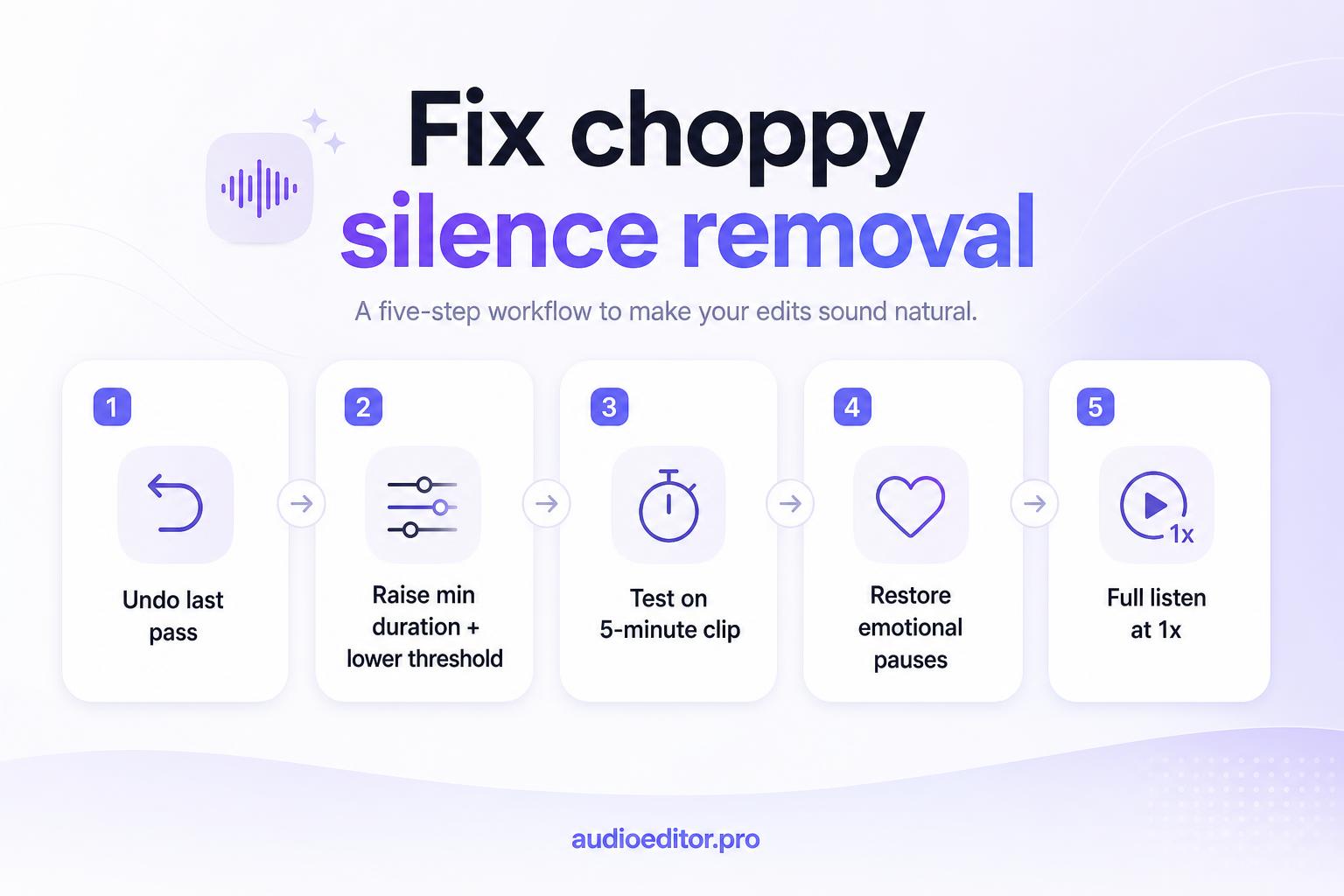
Manual restore beats running the same aggressive preset twice.
Prevention checklist
- Clean or enhance noisy audio before silence detection.
- Start with moderate threshold (-40 dB range) and 400+ ms minimum.
- Use padding so word starts and ends survive.
- Shorten long dead air; keep short thinking pauses.
- Listen at 1x after every automatic pass.
- Add micro-crossfades if you hear clicks at joins.
Silence removal should tighten pacing, not erase how humans talk. When settings respect breath, tail, and context, dead air goes away and the voice stays believable.
FAQ
What causes choppy silence removal?
Usually threshold set too high (soft speech treated as silence), minimum duration too low (natural pauses removed), or missing padding at cut points.
What threshold should I start with for podcasts?
Around -40 dB to -45 dB on a clean voice track. Lower the threshold if syllables disappear; raise it slightly if long dead air remains.
What minimum silence duration is safe for interviews?
Often 300 to 500 ms for casual shows, 500 to 800 ms when hosts pause to think. Avoid trimming every gap under 200 ms.
Should I delete pauses completely or shorten them?
Shorten long thinking pauses to 400–600 ms when possible instead of zeroing them. Keep dramatic beats in narrative content.
What if it already sounds choppy?
Undo the pass, raise minimum duration by ~200 ms, lower threshold by 3–5 dB, test on five minutes, then restore key emotional pauses manually.