Why Does Silence Removal Sound Choppy?
Choppy silence removal often means your threshold is too high or pauses are trimmed too short. Learn settings to tighten dead air without clipping speech.
Read article→WAV editor online
Upload a WAV, trim on a timeline, clean spoken sections, enhance clarity, and export — all from your browser.
WAV, MP3, M4A and most browser-supported audio/video files.
Everything you need to edit, clean, and export professional audio in one place.

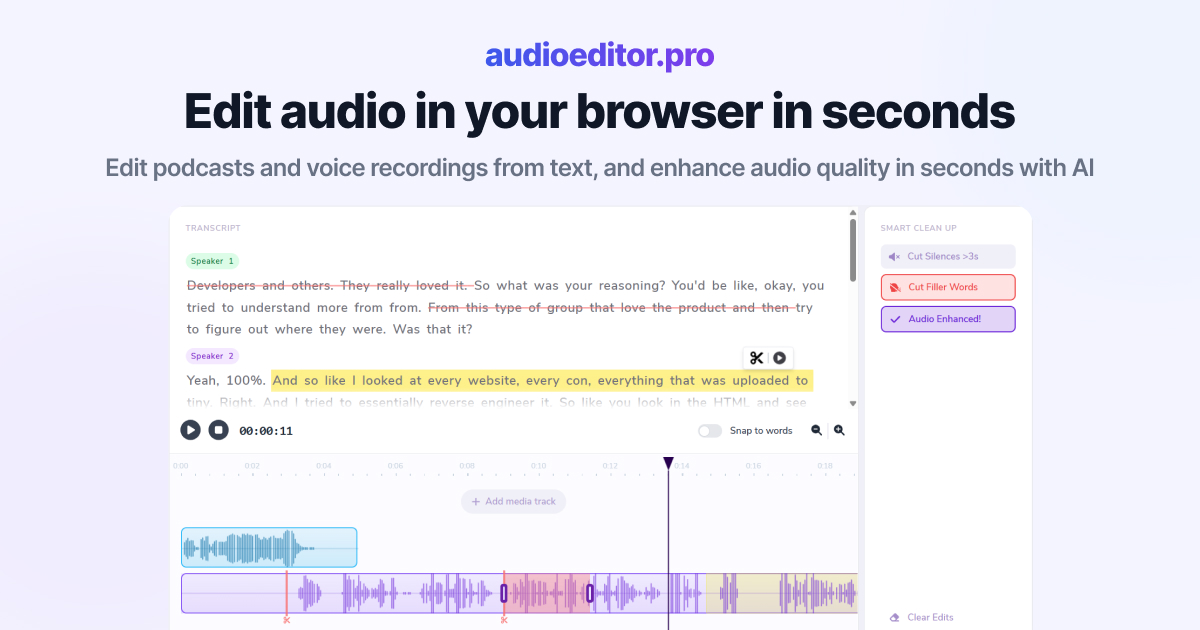
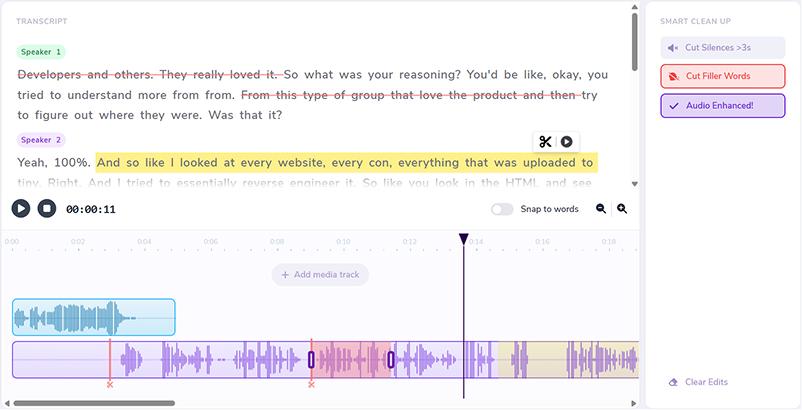
Cut, rearrange, and refine your audio by editing the transcript directly.
Improve clarity, reduce noise, and bring your voice forward with one-click enhancement.
Automatically detect and remove dead air so your episode stays tight and engaging.
Clean up ums, uhs, and verbal fillers without manually hunting through the waveform.
Layer music, intros, voiceovers, and additional audio sources on a shared timeline.
Trim with precision using waveforms, transport controls, and visual cut markers.
Whether you trim a podcast bounce, clean a voiceover WAV, or prep dialogue for video, keep the workflow in the browser.
Trim intros, outros, and dead air without opening a heavy desktop project.
Enhance clarity and reduce noise on spoken WAV takes before delivery.
Edit the audio bounce, then export a mix ready for your NLE.
Open the WAV editor online instead of installing format-specific utilities.
Use the transcript for rough cuts and the timeline for fine trims.
Remove silences, fillers, and noisy sections from your WAV.
Finish the WAV in the same workspace where you uploaded it.
Drop a WAV or other audio file into the online editor. Transcription starts when speech is detected.
Select transcript words to cut sections, or trim directly on the waveform.
Remove silences, strip fillers, apply enhancement, and layer tracks if needed.
Download when ready. Prefer compressed delivery? Continue in our mp3 editor online.
Practical articles on transcript editing, cleanup, and creator production.
Choppy silence removal often means your threshold is too high or pauses are trimmed too short. Learn settings to tighten dead air without clipping speech.
Read article→Heavy filler removal can sound robotic when pauses vanish and words land too close. Learn when to cut ums and when to leave speech human.
Read article→Remove ums and uhs automatically from podcast audio with transcription, bulk filler detection, and a quick review pass so cuts stay natural.
Read article→Yes. Upload a WAV in the browser, edit on a timeline, and export when finished.
Trim sections, cut clips, remove silences, clean fillers, enhance voice, layer tracks, and export.
You export from the editor when the mix is ready. For most creator workflows the output suits podcasts, voiceovers, and video audio.
Yes. When the WAV contains speech, transcription enables text-based cuts.
Yes. Upload episode-length WAVs, trim, clean, and export a shorter or polished version.
MP3, M4A, and most browser-supported audio and video formats.
Related features: