Why Does Silence Removal Sound Choppy?
Choppy silence removal often means your threshold is too high or pauses are trimmed too short. Learn settings to tighten dead air without clipping speech.
Read article→Audio trimmer online
Upload a file, set trim points on the timeline, remove unwanted sections, and export — no desktop trimmer app required.
MP3, WAV, M4A and most browser-supported audio/video files.
Everything you need to edit, clean, and export professional audio in one place.

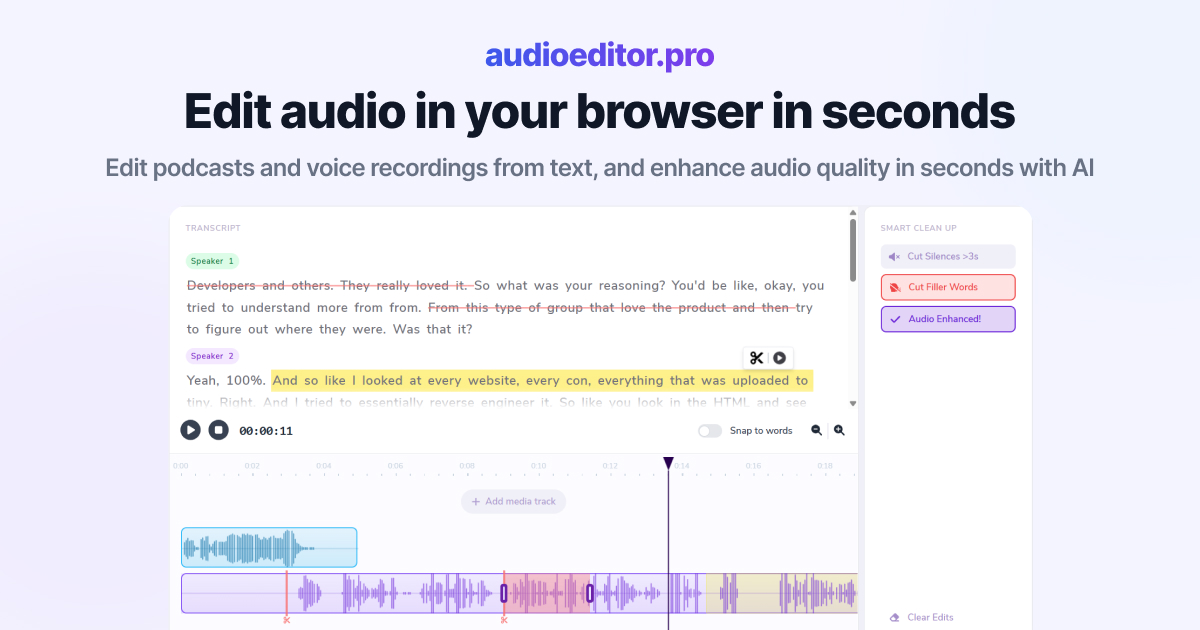
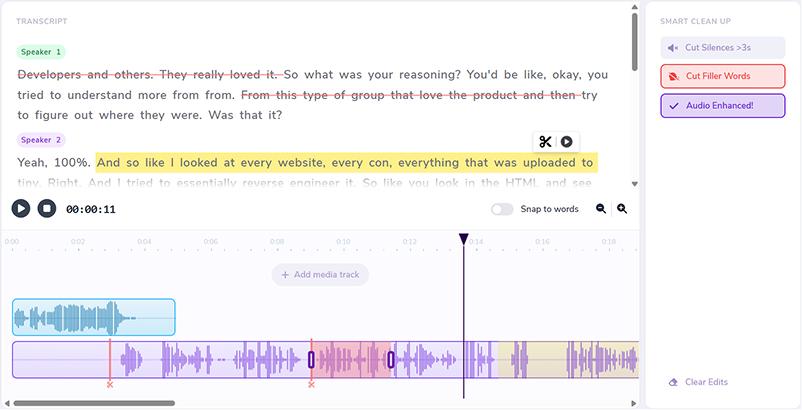
Cut, rearrange, and refine your audio by editing the transcript directly.
Improve clarity, reduce noise, and bring your voice forward with one-click enhancement.
Automatically detect and remove dead air so your episode stays tight and engaging.
Clean up ums, uhs, and verbal fillers without manually hunting through the waveform.
Layer music, intros, voiceovers, and additional audio sources on a shared timeline.
Trim with precision using waveforms, transport controls, and visual cut markers.
From shortening intros to clipping interview highlights, trim audio in the browser with visual feedback on every cut.
Cut dead air at the start or end of an episode without re-exporting from a desktop DAW.
Isolate the sections you need and trim away everything else online.
Trim audio pulled from camera or screen recordings to match your edit.
Open the online trimmer in a browser tab instead of installing a separate tool.
Drag trim handles on the timeline or cut by selecting words in the transcript.
Remove silences and filler words after trimming so clips sound polished.
Download the trimmed audio from the same online workspace where you edited it.
Drop an audio or video file into the online trimmer. The workspace loads your waveform and starts transcription when speech is present.
Drag selection handles on the timeline or select transcript text to define the section you want to keep or remove.
Remove silences, strip filler words, apply enhancement, and adjust levels until the trimmed audio sounds right.
Download the result when your clip is the right length. If you need to split a file into separate clips, use our audio cutter online on the same recording.
Practical articles on transcript editing, cleanup workflows, and creator audio production.
Choppy silence removal often means your threshold is too high or pauses are trimmed too short. Learn settings to tighten dead air without clipping speech.
Read article→Heavy filler removal can sound robotic when pauses vanish and words land too close. Learn when to cut ums and when to leave speech human.
Read article→Remove ums and uhs automatically from podcast audio with transcription, bulk filler detection, and a quick review pass so cuts stay natural.
Read article→Upload your file, use the timeline waveform to set start and end points, remove unwanted sections, and export the trimmed result from your browser.
Yes. MP3, WAV, M4A, and most browser-supported audio formats work with the online trimmer.
Yes. When your audio contains speech, the transcript lets you cut sections by selecting words instead of only dragging on the waveform.
Yes. Upload video files with an audio track, trim the dialogue, and export the edited audio mix.
Yes. After you trim, smart cleanup can remove dead air and filler words so the clip stays tight.
No. The audio trimmer runs entirely in your browser.
Related features: