Why Does Silence Removal Sound Choppy?
Choppy silence removal often means your threshold is too high or pauses are trimmed too short. Learn settings to tighten dead air without clipping speech.
Read article→For interviews
Upload interview recordings, transcribe speakers, cut sections by editing the transcript, clean up fillers and silences, and export polished dialogue online.
MP3, WAV, M4A and most browser-supported audio/video files.
Everything you need to turn spoken recordings into publish-ready audio from one browser workspace.

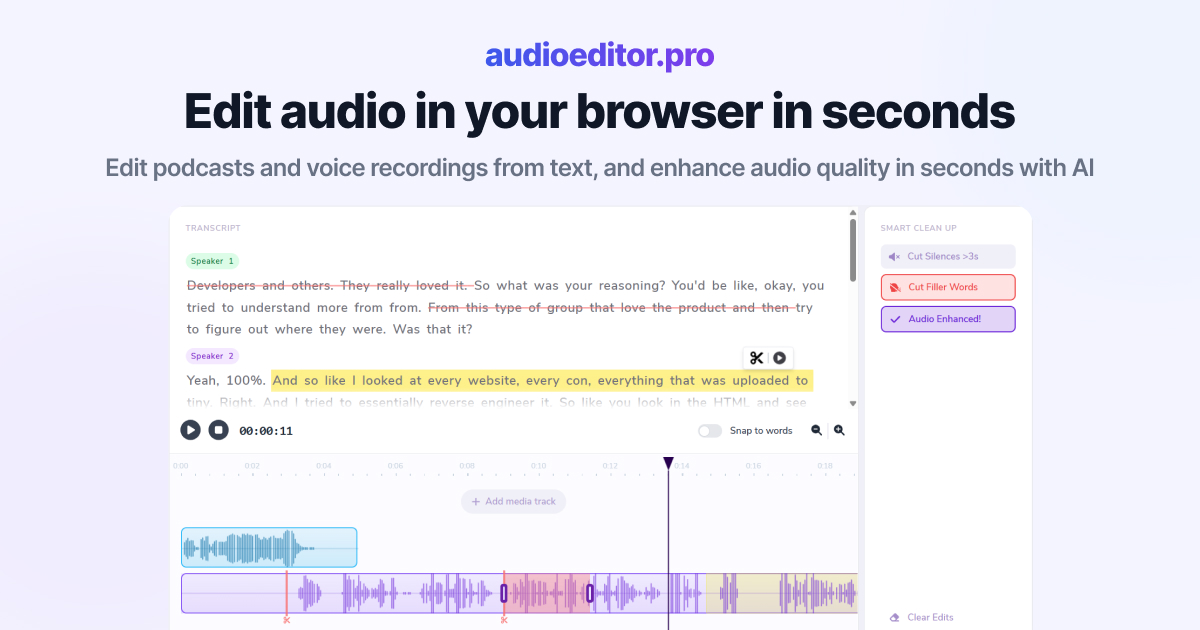
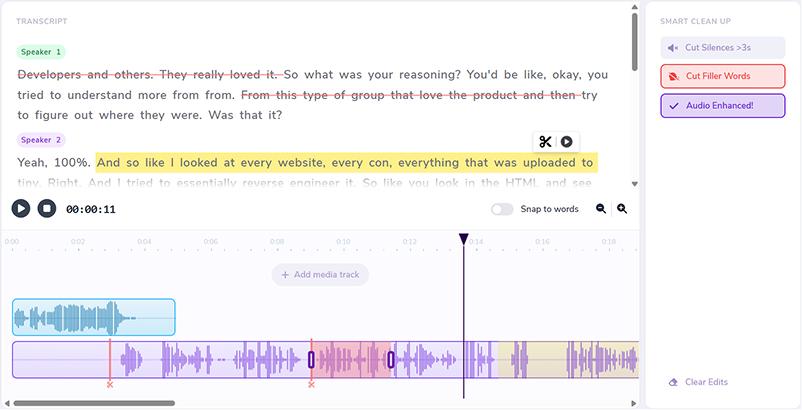
Select words in the transcript to cut, move, or refine the underlying audio.
Improve clarity and reduce noise without leaving the editor.
Remove dead air automatically so interviews and episodes stay tight.
Clean up ums, uhs, and hesitations in bulk from the transcript view.
Layer music, intros, and voiceovers on the same timeline.
Switch to waveforms whenever you need frame-accurate control.
Remote calls, in-person sit-downs, and panel discussions — edit interview audio faster with speaker-aware transcript tools.
Find key quotes in the transcript and cut sections without scrubbing the full recording.
Clean up Zoom, Teams, or phone recordings with enhancement and noise reduction.
Structure interview episodes with transcript cuts and intro beds on extra tracks.
Delete false starts and overlapping answers by editing the interview transcript.
Cut interview sections by transcript and refine timing on the timeline.
Remove silences, filler words, and noisy dialogue sections faster.
Download your polished interview from the same editing workspace.
Drop interview audio or video into the editor. Speaker-aware transcription starts when speech is detected.
Select words or phrases to cut sections, remove tangents, or tighten overlapping dialogue.
Remove silences and filler words, enhance voices, and layer intro music on extra tracks if needed.
Download when the dialogue mix is ready. For narration workflows, see our audio editor for voiceovers on the same platform.
Practical guides on transcript editing, cleanup workflows, and spoken-audio production.
Choppy silence removal often means your threshold is too high or pauses are trimmed too short. Learn settings to tighten dead air without clipping speech.
Read article→Heavy filler removal can sound robotic when pauses vanish and words land too close. Learn when to cut ums and when to leave speech human.
Read article→Remove ums and uhs automatically from podcast audio with transcription, bulk filler detection, and a quick review pass so cuts stay natural.
Read article→Yes. Speaker-aware transcription and transcript cuts are designed for multi-speaker dialogue editing.
Yes. Upload common formats from video calls and clean up dialogue online.
Yes. Selecting text in the transcript is one of the fastest ways to cut interview dialogue.
Yes. Smart cleanup tools help tighten interview pacing after your main edits.
No. Interview editing runs in your browser.
MP3, WAV, M4A, and most browser-supported audio and video formats are supported for upload.