Why Does Silence Removal Sound Choppy?
Choppy silence removal often means your threshold is too high or pauses are trimmed too short. Learn settings to tighten dead air without clipping speech.
Read article→Podcast repurposing tools
Tighten the episode here, then hand off to show notes, clips, and a podcast website so one recording reaches listeners everywhere without rebuilding the stack.
MP3, WAV, M4A and most browser-supported audio/video files.
Everything you need to turn spoken recordings into publish-ready audio from one browser workspace.

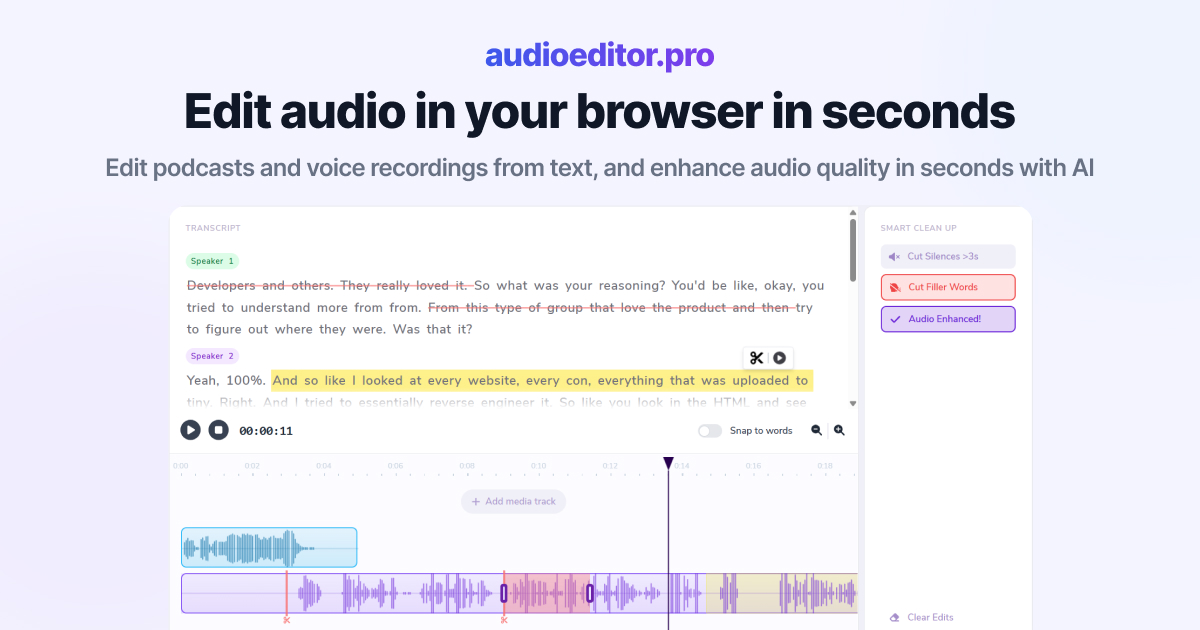
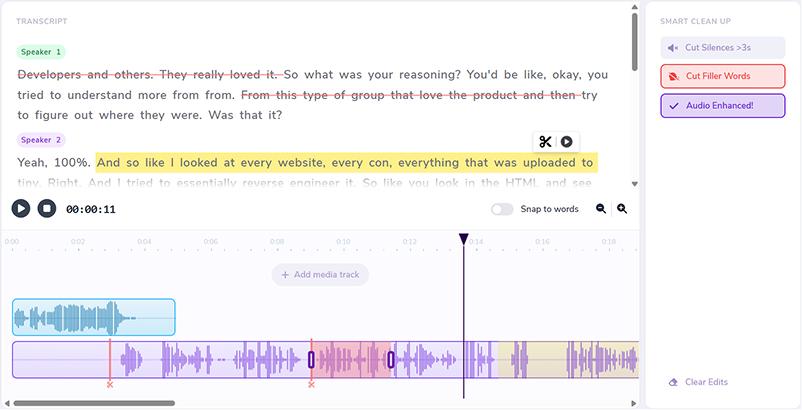
Select words in the transcript to cut, move, or refine the underlying audio.
Improve clarity and reduce noise without leaving the editor.
Remove dead air automatically so interviews and episodes stay tight.
Clean up ums, uhs, and hesitations in bulk from the transcript view.
Layer music, intros, and voiceovers on the same timeline.
Switch to waveforms whenever you need frame-accurate control.
Repurposing fails when the master is still messy. Clean audio first, then generate notes, clips, and a show website with purpose-built podcast tools.
Cut fillers, silences, and tangents so every clip, note, and site update comes from a tight master.
Once the episode is locked, generate summaries and publish-ready notes with Show Notes Generator.
Send the finished show into Podsqueeze to repurpose audio into short-form content faster.
Launch a podcast website from your RSS feed with podcast.page so episodes and listen links stay in sync automatically.
Audio Editor tightens pacing, fillers, and clarity before you multiply the episode.
Use a show notes generator for transcripts and episode summaries ready to publish.
Clip the episode with Podsqueeze and publish a show site with podcast.page.
Upload to Audio Editor. Cut by transcript, remove silences and fillers, and enhance speech until the episode is publish-ready.
Send the finished episode through Show Notes Generator for accurate transcripts and ready-to-publish show notes that support SEO and listener skimming.
Use Podsqueeze to turn the long episode into clips and other repurposed content without starting from a messy rough cut.
Ship the audio to your host, paste the notes, schedule clips, and give the show a home with podcast.page — import your RSS feed and keep episode pages in sync automatically. Prefer a dedicated free editing entry point? Start at free podcast editing software.
Guides on editing, cleanup, and turning episodes into more content.
Choppy silence removal often means your threshold is too high or pauses are trimmed too short. Learn settings to tighten dead air without clipping speech.
Read article→Heavy filler removal can sound robotic when pauses vanish and words land too close. Learn when to cut ums and when to leave speech human.
Read article→Remove ums and uhs automatically from podcast audio with transcription, bulk filler detection, and a quick review pass so cuts stay natural.
Read article→They are apps that help you turn one episode into more formats — cleaned audio, show notes, transcripts, clips, social posts, and a podcast website.
Start by editing the master in Audio Editor so notes, clips, and site pages are not built from dead air and mistakes.
Show Notes Generator creates transcripts and engaging show notes you can paste into your publishing platform after the edit.
Podsqueeze helps repurpose finished episodes into clips and other distribution formats.
podcast.page builds a podcast website from your RSS feed so new episodes, artwork, and listen links update automatically.
Yes. Use enhancement inside Audio Editor, or a dedicated enhancer when that is all you need, then return to packaging tools.
MP3, WAV, M4A, and most browser-supported audio and video formats.